


How to Use IPTV on an Older TV Without Replacing It
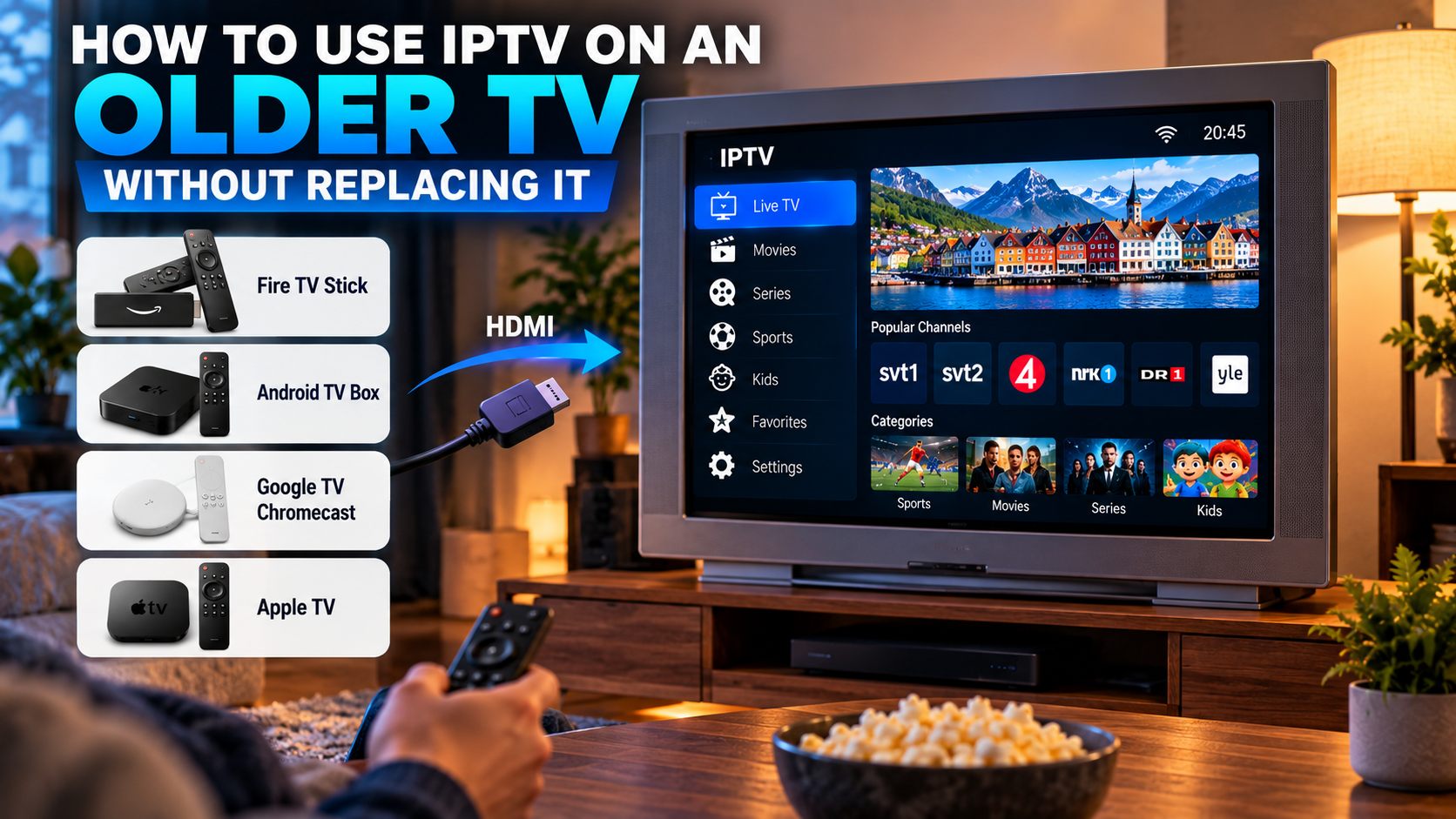
An older television does not necessarily need to be replaced just because it lacks modern streaming applications. In many cases, adding a compatible streaming device can give an existing TV access to internet-based entertainment, including IPTV players, movies, series, and other streaming services.
For viewers in Sweden and across the Nordic region, this can be a practical way to modernize a television without purchasing an entirely new screen. The key is understanding the TV's available connections and choosing hardware that matches both the television and the way you prefer to watch.
Check Your Television Before Buying Anything
Start by inspecting the ports on the television.
Most external streaming devices connect through HDMI. If your TV has an available HDMI port, adding IPTV functionality is usually much easier.
Look for:
-
HDMI ports
-
USB ports
-
Ethernet connection
-
Wi-Fi capability
-
Available screen resolutions
-
Audio outputs
Knowing what the television supports prevents you from buying a device that cannot be connected properly.
What If the TV Is Not Smart?
A television does not need its own app store to work with an external streaming device.
The external device handles the applications, internet connection, and IPTV player. The television mainly acts as the display.
This means an older TV can potentially be used with:
-
Android TV boxes
-
Google TV devices
-
Apple TV
-
Compatible streaming sticks
-
Other HDMI media players
The best option depends on budget, preferred applications, and device compatibility.
Choose a Streaming Device Carefully
Different streaming devices provide different features.
Android TV or Google TV
Android-based devices are popular because they support a broad range of streaming applications.
A television-focused Android device can provide access to IPTV players with features such as favorites, channel groups, EPG support, search, subtitles, and audio selection.
Choose hardware designed for television use rather than assuming every generic Android device will provide the same experience.
Apple TV
Apple TV can be suitable for households already using Apple products.
Compatible tvOS applications can provide IPTV playback, while the remote and television-oriented interface make it suitable for a living room.
Before choosing any player, check whether it supports your required playlist or account format.
Streaming Sticks
Compact streaming sticks can be useful when space around the television is limited.
They plug directly into HDMI and generally connect to the internet through Wi-Fi.
When comparing them, consider storage, memory, remote quality, application availability, and Wi-Fi performance.
Match the Device to the TV Resolution
Buying a powerful 4K streaming box does not automatically turn an older television into a 4K display.
The final picture resolution is limited by the television itself.
For example, if a TV supports only Full HD, a 4K-capable streaming device can still work in many cases, but the television will display content at its supported resolution.
Before purchasing hardware, check:
-
Maximum TV resolution
-
Supported HDMI standard
-
Streaming device output options
This can help avoid paying extra for features you cannot fully use.
Connect the Streaming Device
Once you have a compatible device, installation is generally straightforward.
Step 1: Connect HDMI
Plug the streaming device into an available HDMI port.
Step 2: Connect Power
Use the power adapter recommended by the device manufacturer.
Some streaming sticks can receive power through USB, but a television's USB port may not always provide enough power.
Step 3: Select the Correct Input
Use the television remote to switch to the HDMI input connected to the streaming device.
Step 4: Connect to the Internet
Follow the device instructions to connect through Wi-Fi or Ethernet where supported.
Step 5: Install Compatible Applications
Use the device's supported app store to install the IPTV player or other streaming applications you need.
Choose an IPTV Player Designed for TV Screens
A good television application should work comfortably with a remote control.
Features worth considering include:
-
Simple live TV navigation
-
Favorites
-
EPG support
-
Channel categories
-
Search
-
Movie and series sections
-
Subtitle settings
-
Audio-track selection
An application designed mainly for touchscreen phones may be frustrating when controlled from a sofa.
Nordic viewers comparing regional streaming options and compatible devices may encounter Nordic IPTV King while researching IPTV-related services and setup choices.
Understand the Difference Between a Player and a Service
The IPTV player and IPTV service are normally separate parts of the setup.
The player provides the interface used to organize and play streams. The service provides compatible access information and the content available through an account.
Depending on the setup, access information may include:
-
M3U playlist
-
Server details
-
Username and password
-
Other compatible account information
Installing a player by itself does not automatically provide television channels.
Check Your Internet Connection
Adding a modern streaming box will not solve problems caused by an unstable internet connection.
Before using IPTV regularly, confirm that the room has reliable connectivity.
Wi-Fi
Wi-Fi is convenient when the router is not close to the television.
Signal quality can be affected by:
-
Distance
-
Walls
-
Furniture
-
Other wireless networks
-
Router placement
If playback frequently buffers, check signal strength near the television.
Ethernet
Some streaming boxes include Ethernet or support it through compatible adapters.
A wired connection can provide consistent performance and can also help determine whether Wi-Fi is causing streaming problems.
Do Not Ignore the Router
Older televisions are often located in rooms where Wi-Fi was never originally considered important.
If the router is on another floor or far away, the new streaming device may receive a weak signal.
Possible improvements include:
-
Moving the router
-
Using a mesh Wi-Fi system
-
Connecting through Ethernet
-
Reducing wireless interference
A strong local connection can be more important than simply purchasing a faster internet package.
Set Up an Electronic Program Guide
If your IPTV configuration provides compatible EPG information, enabling the Electronic Program Guide can make live television easier to navigate.
An EPG may show:
-
Current programs
-
Upcoming programs
-
Start times
-
End times
-
Channel schedules
This helps transform an older television into a more convenient modern viewing setup.
Create Favorites Immediately
Large IPTV playlists can contain more channels than most people regularly watch.
Instead of scrolling through everything, create a favorites list shortly after completing the setup.
For a Nordic household, useful favorites might include:
-
Swedish television
-
Nordic channels
-
Sports
-
News
-
Movies
-
Entertainment
-
Children's programming
A focused list also makes an older TV easier for family members to use.
Consider the Remote Control
Adding an external streaming device usually means adding another remote.
Before buying hardware, consider how easy its remote is to use.
Useful features may include:
-
Direction buttons
-
Home button
-
Back button
-
Volume controls
-
Voice search
-
Power controls
Some devices can also control television power and volume through supported HDMI features, although compatibility varies.
Check Audio Compatibility
Older televisions may have different audio capabilities from modern streaming devices.
If video works but audio does not, inspect:
-
Streaming device audio settings
-
TV sound format
-
HDMI configuration
-
External soundbar settings
Setting the streaming device to a more widely supported audio format can sometimes help with older equipment.
Use Suitable Picture Settings
A new streaming device may initially select an automatic resolution.
Check the display settings after installation.
If the picture appears cropped, flickers, or fails to display properly, manually selecting a resolution supported by the television may solve the issue.
There is little benefit in forcing a higher output resolution than the screen can handle.
Improve an Older TV Without Making It Complicated
It is easy to add too many applications after installing a new streaming device.
For everyday use, keep the main screen focused on the services people actually watch.
You might keep only:
-
IPTV player
-
Main streaming applications
-
Music application
-
Settings
Removing unused applications can keep navigation simpler and preserve available storage.
Keep the Streaming Device Updated
Even though the television itself may be old, the external streaming device should still receive software updates.
Updates can improve:
-
Security
-
Application compatibility
-
Streaming stability
-
Remote performance
-
Video playback
Check periodically for operating system and application updates.
Avoid Untrusted Applications
Use reputable application stores and trusted developers whenever possible.
Unknown APK files or modified applications can create privacy and security risks.
Be cautious if an application requests permissions that appear unrelated to video playback.
A simple, trustworthy setup is usually preferable to installing many unofficial tools.
Consider Whether Upgrading the TV Is Actually Necessary
Adding a streaming device can extend the useful life of an older television, but there are situations where replacing the TV may make more sense.
Consider an upgrade if:
-
The screen has hardware problems
-
HDMI ports no longer work reliably
-
Picture quality is poor
-
The TV uses significantly more power than newer alternatives
-
You specifically want a larger or higher-resolution screen
If the television itself still produces a good picture, an external streaming device can be a cost-effective alternative.
Keep Content Access Legitimate
IPTV is a method of delivering television through internet networks.
It does not automatically indicate whether particular channels or programs are authorized.
Users should select legitimate services that have appropriate rights to distribute the content they provide and should follow applicable copyright laws and platform terms.
Troubleshoot Problems One Step at a Time
If IPTV does not work properly on an older television setup, avoid changing everything at once.
No Picture
Check the HDMI connection and selected TV input.
Application Will Not Open
Restart the streaming device and check for application updates.
Buffering
Test the internet connection and Wi-Fi strength.
No Sound
Review the streaming device and television audio settings.
Remote Problems
Replace batteries and restart or reconnect the remote where required.
EPG Shows the Wrong Time
Check the timezone settings on the streaming device and inside the IPTV application.
Testing one issue at a time makes troubleshooting much easier.
Final Thoughts
An older television can often remain useful for many years when paired with a suitable streaming device.
An available HDMI port, stable internet connection, compatible IPTV player, simple remote, and properly configured display settings may be all that is required to create a much more modern viewing experience.
Instead of replacing a functioning TV simply because it lacks current applications, consider whether an Android TV device, Apple TV, streaming stick, or similar media player can provide the features you need. With a clean setup and reliable network, older televisions can still work well for live TV, sports, movies, series, and other internet-based entertainment.
