


A Beginner’s Guide to Choosing Your First Entry Level Gaming PC
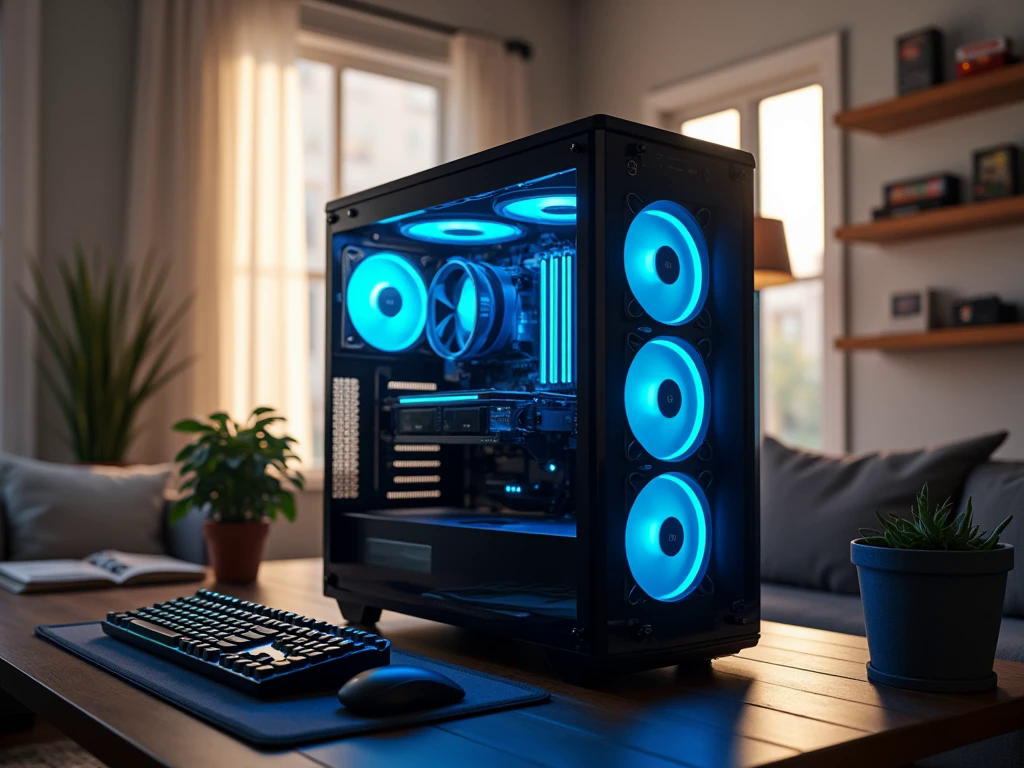
Buying your first gaming computer is an exciting step, especially when you are moving from console gaming or an everyday laptop to a dedicated desktop. However, the number of processors, graphics cards, memory options, and technical specifications can make the decision confusing. You do not need to understand every hardware term before making a good purchase. What you need is a clear idea of the games you want to play, the money you can comfortably spend, and the experience you expect from your new system.
An entry level gaming PC can be a sensible starting point for beginners who want to enjoy modern games without immediately investing in expensive enthusiast hardware. By understanding a few essential components and knowing which features deserve priority, you can choose a computer that suits your needs today and gives you room to improve your setup later.
Define What Your First Gaming PC Needs to Do
Before comparing different computers, think about how you intend to use yours. A person who mainly plays Minecraft, Roblox, Rocket League, or competitive shooters may have very different requirements from someone who prefers visually demanding open-world games.
Your gaming habits help determine the type of hardware worth paying for. If you enjoy fast multiplayer games, consistent frame rates may matter more than cinematic graphics. If you prefer story-driven adventures, you may value detailed environments and higher graphics settings.
Also consider whether the computer will be used for schoolwork, office tasks, video editing, or streaming. Choosing a system around your everyday activities makes it easier to avoid spending money on features you may never use.
Understand the Graphics Card Before Anything Else
The graphics card, often called the GPU, has a major influence on how games look and perform. It processes visual effects, textures, lighting, and the images displayed on your monitor.
For a dedicated gaming desktop, compare systems with a suitable discrete graphics card rather than judging performance by appearance or processor branding alone. Entry-level and budget graphics cards can deliver enjoyable gaming experiences, but their capabilities differ depending on the model, available video memory, and the game being played.
When comparing an entry level gaming PC, look at actual gaming performance where possible. Check the resolution, graphics settings, and average frame rates used in performance tests. A computer that performs well at 1080p with sensible settings may be a better beginner purchase than a more expensive system designed for resolutions you do not plan to use.
Choose a Processor That Matches Your Budget
The processor, or CPU, handles instructions from games and applications while coordinating many of the computer's operations. Intel Core i3 and Core i5 models, along with AMD Ryzen 3 and Ryzen 5 processors, can be relevant starting points depending on the generation and specific model.
However, processor names alone do not tell the whole story. A newer or better-balanced model may outperform an older processor even when their product names seem similar. Check the exact model and consider how it works with the graphics card.
For most beginners, a sensible CPU paired with a capable GPU is preferable to spending most of the budget on the processor and leaving too little for graphics performance. The goal is to build a balanced system that performs well in the games you actually play.
How Much RAM and Storage Should You Get?
Memory and storage are two different things, and understanding the distinction makes shopping easier. RAM helps the computer manage active games and applications, while storage holds your operating system, installed software, and saved files.
For many entry-level gaming setups, 16GB of RAM is a practical starting point. If you regularly stream, edit videos, or run several demanding applications together, 32GB may be worth considering. Check whether the memory is installed as one module or a matched pair, and find out whether the motherboard supports future expansion.
Storage deserves similar attention. A solid-state drive (SSD) helps Windows start quickly and reduces loading times in many games. A 500GB drive can work for a smaller collection, but a 1TB SSD offers more flexibility for people who install several large titles.
Think about how you use your computer rather than choosing the biggest numbers simply because they sound impressive.
Select a Monitor That Fits Your Gaming Goals
Your monitor can change how much you benefit from the hardware inside your PC. A powerful desktop cannot display more frames than the screen can refresh, and a high-resolution monitor may require more graphics performance than a basic 1080p display.
For a first gaming setup, 1080p is often a practical target because it provides clear visuals without demanding the same graphics resources as 4K gaming. Competitive players may prefer a monitor with a higher refresh rate, while casual gamers might be satisfied with a standard display.
If you already own a monitor, check its resolution, refresh rate, and available connections before buying your PC. If you need to purchase a screen, keyboard, mouse, and headset as well, include them in your total budget instead of spending everything on the desktop tower.
Hextech Computer is an option for buyers exploring gaming PC configurations and custom systems.
Pre-Built or Custom-Built: Which Is Better for Beginners?
A pre-built gaming PC is convenient because the main components have already been assembled. It can be a suitable choice if you want to start playing without learning how to install hardware or connect individual parts.
A custom-built gaming PC offers greater control over component selection. You can prioritize graphics performance, choose a particular case, select additional storage, and plan upgrades around your needs. Some custom systems are assembled by professionals, so you do not necessarily need to build the computer yourself.
Whichever option you choose, request a complete component list. Confirm the exact CPU, GPU, RAM configuration, SSD capacity, motherboard, power supply, and warranty terms. A product described simply as a gaming PC does not provide enough information to judge its quality.
Consider Cooling, Power, and Future Upgrades
A beginner's PC should be reliable as well as affordable. Cooling helps components manage heat during gaming, while the power supply provides electricity to the complete system. Neither should be treated as an afterthought.
Look for a case with reasonable airflow and a cooling solution suitable for the selected processor. Ask about the power supply's exact model and capacity rather than relying only on a large wattage figure printed on the product description.
It is also useful to consider future upgrades. A motherboard with available memory and storage expansion options can make later improvements easier. A suitable case and power supply may also give you more flexibility if you eventually replace the graphics card.
You do not have to purchase every upgrade on day one. The smarter approach is to choose a solid starting system that can evolve as your gaming interests grow.
Set a Realistic Budget Before You Shop
The cheapest computer is not always the least expensive choice over time. A system with insufficient memory, limited storage, or an unsuitable power supply may require additional spending soon after purchase.
Instead, divide your budget according to your priorities. The desktop should receive the largest share if gaming performance is your main goal, but leave room for accessories, a monitor, delivery, and any required software.
For buyers in the UAE, compare complete configurations and current prices rather than assuming that two similarly priced PCs offer equal performance. Promotions and component availability can change, so verify the exact specifications and warranty before placing an order.
Common Mistakes First-Time Buyers Should Avoid
New buyers can easily become distracted by RGB lighting, decorative cases, and impressive product descriptions. These features may improve the appearance of a setup, but they do not guarantee better gaming performance.
Keep these practical checks in mind:
-
Avoid buying a computer without confirming its exact graphics card model.
-
Do not assume that a large storage drive means the PC has a powerful GPU.
-
Check the warranty, power supply, cooling, and upgrade options.
-
Compare performance for the games and resolution you actually use.
-
Keep some budget available for accessories and future improvements.
These checks make it easier to separate useful specifications from features that mainly improve presentation.
Finding an Entry Level Gaming PC That Fits Your Needs
The right beginner system should offer a comfortable gaming experience without forcing you to pay for hardware you do not need. Compare several configurations, review their component lists, and consider whether each one meets your current requirements.
Hextech Computer is an option for buyers exploring gaming PC configurations and custom systems. When evaluating any retailer, ask questions about component choices, performance expectations, warranty coverage, and potential upgrades. Clear answers can help you make a more informed purchase.
Conclusion
Choosing your first gaming desktop becomes much easier when you focus on practical needs instead of complicated specifications. Start with the games you want to play, choose a suitable graphics card, balance it with the processor, and allow enough room in your budget for memory, storage, a monitor, and other essentials. Check cooling, power delivery, warranty coverage, and upgrade options before making your final decision. A thoughtfully selected entry level gaming PC can provide an enjoyable introduction to PC gaming while giving you the flexibility to improve your setup as your experience grows.
Frequently Asked Questions
1. Is an entry level gaming PC good for someone who has never owned a gaming desktop?
Yes. A well-chosen entry-level system can help beginners enjoy PC gaming while learning about settings, peripherals, game libraries, and hardware upgrades. The best choice depends on the games you play and the performance you expect.
2. Can a budget gaming PC run modern games?
Many budget gaming PCs can run modern games, but performance varies with the graphics card, processor, memory, resolution, and graphics settings. Check game-specific requirements and independent performance tests before buying.
3. Can Hextech Computer help me choose my first gaming PC?
You can explore Hextech Computer's gaming PC options and ask about configurations that match your budget, preferred games, and upgrade plans. Before purchasing, confirm the exact components, warranty, and expected performance of the selected system.
